DentalXpand learning center

DentalXpand Resources

Learn the platform workflow by workflow, from your first login to specialist RCM, credentialing, HR, finance, growth, administration, and Xpand AI.

10
Learning tracks
82
Feature guide slots
13
Complete guides

Complete platform curriculum

Choose the work you need to learn.

Each track will grow into focused lessons for the actual roles, screens, decisions, and verification steps used in DentalXpand.

01 6 guides

Start here

Understand the workspace, navigation, organization scope, and recommended learning order.

  • Platform map
  • Accounts and roles
  • Navigation basics
Explore this track
02 10 guides

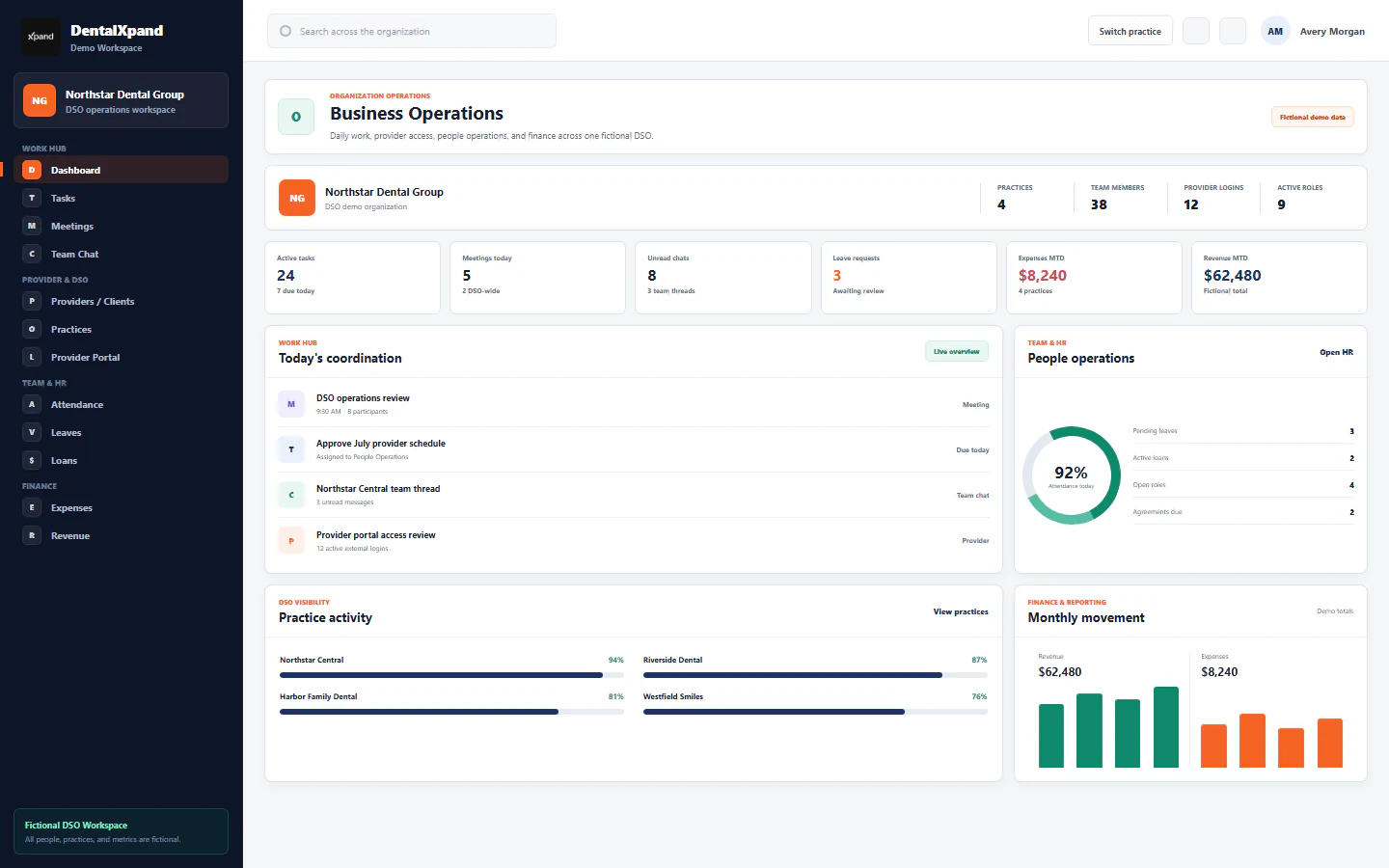
Work Hub

Learn the shared daily workspace used to plan, discuss, and complete operational work.

  • Tasks
  • Meetings and chat
  • Documents and notifications
Explore this track
03 7 guides

Provider & DSO

Operate practice, DSO, billing-company, provider, and client access with the right scope.

  • Provider login
  • Practice assignments
  • Client portal
Explore this track
04 10 guides

Dental RCM

Follow verification, billing, claim, and accounts-receivable workflows step by step.

  • VOB and Auto Verify
  • AR Follow Up
  • AR Management
Explore this track
05 8 guides

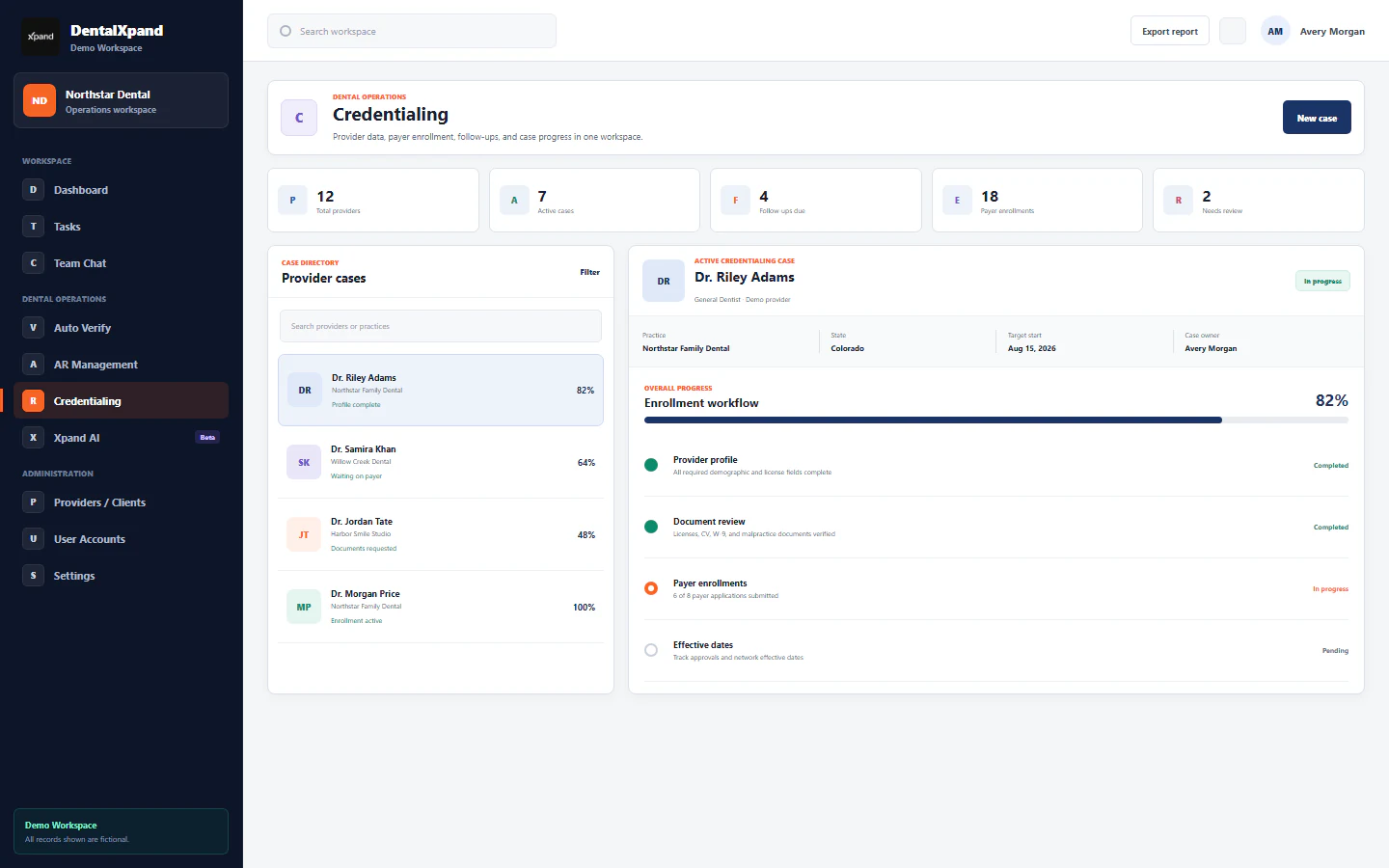
Credentialing

Learn provider-data collection, payer cases, documents, follow-up, and client reporting.

  • Provider Data
  • Payer cases
  • Client reports
Explore this track
06 12 guides

Team & HR

Teach the people workflows behind teams, attendance, time, leave, loans, and hiring.

  • Teams and attendance
  • Leave and loans
  • Time and recruitment
Explore this track
07 3 guides

Finance & Reports

Explain authorized expense, revenue, reporting, and practice-context workflows.

  • Expenses
  • Revenue
  • Management reports
Explore this track
08 6 guides

Marketing & Growth

Cover lead research, outreach, calling, ownership, and pipeline follow-up.

  • Lead generation
  • Cold Calling CRM
  • Email outreach
Explore this track
09 12 guides

Admin & Security

Teach users, roles, practices, organization settings, and tenant-aware access boundaries.

  • Users and roles
  • Practices
  • Organization controls
Explore this track
10 8 guides

AI & Automation

Use Xpand AI and focused automation within the current role and organization context.

  • Xpand AI
  • Auto AR and VOB
  • Source-aware assistance
Explore this track

Complete feature inventory

82 guide slots. One complete curriculum.

Every current DentalXpand screen and complete user workflow now has a permanent place for its website lesson, screenshots, verification steps, and branded PDF.

82Total guide slots
13Guide ready
0In production or review
69Planned next
01 Start hereUnderstand the workspace, navigation, organization scope, and recommended learning order. 6 guides
  1. 01
    Start here: understand the DentalXpand workspace

    See how organizations, practices, roles, and product areas fit together before feature-specific training.

    All users / 4 planned chapters
    Guide ready PDF available
  2. 02
    Sign in and access your account

    Use the correct DentalXpand sign-in flow and understand what happens after authentication.

    All users /auth 4 planned chapters
    Guide ready PDF available
  3. 03
    Set up, reset, and change a password

    Complete first-login password setup, required password changes, and administrator-assisted resets.

    All users and administrators /change-password 4 planned chapters
    Guide ready PDF available
  4. 04
    Understand organization and practice context

    Confirm which organization, practice, and tenant boundary applies before opening or changing records.

    All users / 4 planned chapters
    Guide ready PDF available
  5. 05
    Navigate sections and pin frequent tools

    Use the responsive sidebar, expandable sections, active-page cues, and personal pinned shortcuts.

    All users / 4 planned chapters
    Guide ready PDF available
  6. 06
    Understand roles, permissions, and access boundaries

    Learn why pages differ by role and how page permissions protect direct links as well as navigation.

    All users and administrators /roles 4 planned chapters
    Guide ready PDF available
02 Work HubLearn the shared daily workspace used to plan, discuss, and complete operational work. 10 guides
  1. 07
    Use the Dashboard command center

    Read operational signals, workload summaries, quick actions, and role-specific dashboard information.

    All authorized users /dashboard 4 planned chapters
    Guide ready PDF available
  2. 08
    Manage tasks, assignments, steps, and timers

    Create, assign, prioritize, track, discuss, and complete work with structured task steps and time logs.

    All authorized users /tasks 4 planned chapters
    Guide ready PDF available
  3. 09
    Schedule and manage meetings

    Create meetings, invite participants, use calendar and list views, and track attendance status.

    All authorized users /meetings 4 planned chapters
    Guide ready PDF available
  4. 10
    Use video, audio, and screen sharing

    Join real-time calls, manage camera and microphone controls, and share a screen safely.

    Meeting participants /meetings 4 planned chapters
    Guide ready PDF available
  5. 11
    Use team messages, conversations, and attachments

    Start direct or group conversations, use current image uploads and voice notes, and manage unread activity.

    All authorized users /messages 4 planned chapters
    Guide ready PDF available
  6. 12
    Manage notifications, reminders, and push alerts

    Review alerts, mark activity read, and control browser or desktop notification delivery.

    All authorized users /notifications 4 planned chapters
    Guide ready PDF available
  7. 13
    Manage documents, files, folders, and previews

    Upload, organize, preview, download, and remove workspace files according to permissions.

    All authorized users /documents 4 planned chapters
    Guide ready PDF available
  8. 14
    Manage client instructions, options, and versions

    Create durable client instructions, track versions, and use structured options in assigned workflows.

    Client operations and RCM teams /client-instructions 4 planned chapters
    Planned PDF follows
  9. 15
    Maintain My Profile and personal details

    Review and update permitted account and employee profile information without changing protected admin fields.

    All users /my-profile 4 planned chapters
    Planned PDF follows
  10. 16
    Use the Support Hub, complaints, and help tools

    Ask for help, submit workplace feedback, and use the persistent quick-support experience.

    All users /support 4 planned chapters
    Planned PDF follows
03 Provider & DSOOperate practice, DSO, billing-company, provider, and client access with the right scope. 7 guides
  1. 17
    Manage providers and clients

    Create and maintain provider or client records, operational contacts, status, and practice relationships.

    Administrators and client managers /providers 4 planned chapters
    Planned PDF follows
  2. 18
    Manage practices, locations, and assignments

    Set up practice records and control which users and providers can work inside each practice.

    Organization administrators /practices 4 planned chapters
    Planned PDF follows
  3. 19
    Use provider login and the client portal

    Sign in as a provider or client and use the focused portal navigation available to external roles.

    Providers and client users /auth 4 planned chapters
    Planned PDF follows
  4. 20
    Control provider and practice access

    Connect provider users to the correct organization and practice without exposing another client workspace.

    Organization administrators /providers 4 planned chapters
    Planned PDF follows
  5. 21
    Operate a DSO or multi-practice workspace

    Move between practices, compare operations, and keep shared and practice-specific work correctly scoped.

    DSO owners and managers /dashboard 4 planned chapters
    Planned PDF follows
  6. 22
    Create client BAA and service agreements

    Prepare, store, track, and manage Business Associate Agreements and client service agreements.

    Administrators and authorized managers /client-agreements 4 planned chapters
    Planned PDF follows
  7. 23
    Configure organization branding and client context

    Apply organization identity, logos, colors, and client context without crossing tenant boundaries.

    Organization administrators /settings 4 planned chapters
    Planned PDF follows
04 Dental RCMFollow verification, billing, claim, and accounts-receivable workflows step by step. 10 guides
  1. 24
    Run the AR Follow Up workflow

    Work assigned accounts-receivable follow-ups, document outcomes, and move each account to its next action.

    Billing and RCM teams /ar-followup 4 planned chapters
    Planned PDF follows
  2. 25
    Use AR Management worklists, reports, and exports

    Filter AR records by date and aging, review risk groups, and export operational reports.

    Billing managers and authorized providers /ar-management 4 planned chapters
    Planned PDF follows
  3. 26
    Use the Medical Billing operating system

    Navigate the medical billing workspace for eligibility, claims, remittance, follow-up, and supporting PDFs.

    Medical billing teams /medical-billing 4 planned chapters
    Planned PDF follows
  4. 27
    Use Claim.MD patient search, eligibility, and payer tools

    Connect Claim.MD, locate payer information, and run authorized eligibility searches.

    Medical billing teams /medical-billing 4 planned chapters
    Planned PDF follows
  5. 28
    Review claim responses, ERA, EOB, and follow-up history

    Search remittance data, pull batches, generate supporting PDFs, and preserve follow-up history.

    Medical billing teams /medical-billing 4 planned chapters
    Planned PDF follows
  6. 29
    Complete VOB / BOB manual verification and PDF reports

    Enter benefit information carefully, verify the result, and generate a client-ready report.

    Dental verification teams /vob-bob 4 planned chapters
    Planned PDF follows
  7. 30
    Use VOB PDF Auto-Fill

    Upload a source PDF, extract mapped information, review every field, and finish the VOB workflow.

    Dental verification teams /vob-bob-autofill 4 planned chapters
    Planned PDF follows
  8. 31
    Use Auto Verify eligibility, audit history, and PDF output

    Submit eligibility checks, review payer evidence and AI assistance, use audit history, and export verified results.

    Dental verification teams /auto-verify 4 planned chapters
    Planned PDF follows
  9. 32
    Use Auto AR automation

    Run approved AR automation while preserving ownership, evidence, and human review of next actions.

    Billing and RCM teams /auto-ar 4 planned chapters
    Planned PDF follows
  10. 33
    Use Stedi eligibility, payer directory, and claim status

    Understand how DentalXpand connects payer lookup, eligibility, claim-status, and evidence responses.

    Dental verification and billing teams /auto-verify 4 planned chapters
    Planned PDF follows
05 CredentialingLearn provider-data collection, payer cases, documents, follow-up, and client reporting. 8 guides
  1. 34
    Understand the Credentialing workspace

    Learn the two-page credentialing operating model, dashboard signals, ownership, and payer case flow.

    Credentialing teams and managers /credentialing 4 planned chapters
    Planned PDF follows
  2. 35
    Use My Credentialing Portal

    Give providers a focused view of assigned credentialing requests, missing items, and progress.

    Providers and credentialing users /credentialing-portal 4 planned chapters
    Planned PDF follows
  3. 36
    Build and maintain Provider Data

    Complete the provider profile, identifiers, education, disclosures, banking, and signature information.

    Providers and credentialing teams /credentialing-data-vault 4 planned chapters
    Planned PDF follows
  4. 37
    Manage the Credentialing document vault

    Upload, classify, review, and maintain provider documents used across payer cases.

    Providers and credentialing teams /credentialing-data-vault 4 planned chapters
    Planned PDF follows
  5. 38
    Manage credentialing requests, payers, and requirements

    Create payer requests, apply state and request-type requirements, assign owners, and plan follow-up.

    Credentialing teams /credentialing 4 planned chapters
    Planned PDF follows
  6. 39
    Complete questionnaires, packets, and checklists

    Review disclosures, map answers and documents, generate a payer packet, and resolve validation issues.

    Credentialing teams and reviewers /credentialing 4 planned chapters
    Planned PDF follows
  7. 40
    Track submissions, follow-ups, and communications

    Record email, fax, portal, mail, and manual submissions and keep follow-up evidence in one timeline.

    Credentialing teams /credentialing 4 planned chapters
    Planned PDF follows
  8. 41
    Use the Client Credentialing Report

    Share a clear client-facing view of cases, status, follow-up, and outstanding requirements.

    Credentialing managers and clients /credentialing 4 planned chapters
    Planned PDF follows
06 Team & HRTeach the people workflows behind teams, attendance, time, leave, loans, and hiring. 12 guides
  1. 42
    Manage teams and team membership

    Create teams, assign members and leads, and connect daily work to the right operating unit.

    Managers and administrators /teams 4 planned chapters
    Planned PDF follows
  2. 43
    Use the Employee Directory

    Find colleagues, roles, departments, and approved contact information.

    All authorized users /directory 4 planned chapters
    Planned PDF follows
  3. 44
    Manage employee records

    Create and maintain employee profiles, assignments, compensation context, and employment status.

    HR and administrators /employees 4 planned chapters
    Planned PDF follows
  4. 45
    Use attendance, clock-in, clock-out, and management views

    Track daily attendance and let authorized managers review hours, lateness, overtime, and payroll signals.

    Employees, managers, and HR /attendance 4 planned chapters
    Planned PDF follows
  5. 46
    Track time against tasks

    Start and stop task timers, preserve time entries, and review daily or period totals.

    Employees and managers /tasks 4 planned chapters
    Planned PDF follows
  6. 47
    Use the desktop work diary and screenshots

    Understand active tracking, periodic screenshots, activity signals, access, and retention responsibilities.

    Tracked employees and authorized managers /attendance 4 planned chapters
    Planned PDF follows
  7. 48
    Manage leave requests, balances, and approvals

    Request leave, attach support, follow the approval chain, and review balances and calendar views.

    Employees, managers, and HR /leaves 4 planned chapters
    Planned PDF follows
  8. 49
    Manage employee loans, approval, and repayment

    Submit a loan request and track recommendation, approval, installments, disbursement, and completion.

    Employees, managers, and HR /loans 4 planned chapters
    Planned PDF follows
  9. 50
    Run recruitment and candidate evaluation

    Move applicants through recruitment, score structured evaluations, and record leadership recommendations.

    HR and hiring managers /recruitment 4 planned chapters
    Planned PDF follows
  10. 51
    Configure recruitment positions and questions

    Maintain positions, departments, interview questions, and scoring limits used by recruitment.

    HR administrators /recruitment/settings 4 planned chapters
    Planned PDF follows
  11. 52
    Create employee and guarantor agreements

    Prepare agreement forms, generate documents, and preserve signed employment records.

    HR and administrators /agreements 4 planned chapters
    Planned PDF follows
  12. 53
    Manage warning and appreciation notices

    Issue, review, revoke, and archive formal employee warning or appreciation notices.

    HR and managers /employee-notices 4 planned chapters
    Planned PDF follows
07 Finance & ReportsExplain authorized expense, revenue, reporting, and practice-context workflows. 3 guides
  1. 54
    Manage expenses, receipts, and approvals

    Record expenses, attach receipts, and complete approval or rejection with clear ownership.

    Finance teams and administrators /expenses 4 planned chapters
    Planned PDF follows
  2. 55
    Manage revenue, invoices, and payment status

    Track revenue sources, clients, invoices, payment state, and operating-period totals.

    Finance teams and administrators /revenue 4 planned chapters
    Planned PDF follows
  3. 56
    Use reports, analytics, and exports

    Filter authorized management data, interpret operational metrics, and export CSV or PDF reports.

    Managers and administrators /reports 4 planned chapters
    Planned PDF follows
08 Marketing & GrowthCover lead research, outreach, calling, ownership, and pipeline follow-up. 6 guides
  1. 57
    Use lead generation search and sources

    Find relevant business leads from approved sources and preserve search context and ownership.

    Marketing teams /lead-generation 4 planned chapters
    Planned PDF follows
  2. 58
    Run marketing scraper jobs, history, and export

    Start approved scraping jobs, monitor progress, review local history, sync results, and export leads.

    Marketing teams /marketing-scraper 4 planned chapters
    Planned PDF follows
  3. 59
    Use the Leads Directory, details, tags, and map

    Review lead records, edit business details, apply tags and signals, and compare geographic context.

    Marketing and sales teams /leads-directory 4 planned chapters
    Planned PDF follows
  4. 60
    Use Cold Calling CRM, Kanban, and follow-up

    Move leads through call stages, record outcomes and notes, and schedule the next follow-up.

    Calling and sales teams /cold-calling 4 planned chapters
    Planned PDF follows
  5. 61
    Connect Gmail and manage email templates and history

    Authorize Gmail sending, prepare compliant outreach, and preserve recipient, content, and delivery history.

    Marketing and sales teams /gmail-outreach 4 planned chapters
    Planned PDF follows
  6. 62
    Use Google Calendar meetings and marketing knowledge

    Create synchronized meetings and maintain approved website or knowledge sources for outreach assistance.

    Marketing and sales teams /gmail-outreach 4 planned chapters
    Planned PDF follows
09 Admin & SecurityTeach users, roles, practices, organization settings, and tenant-aware access boundaries. 12 guides
  1. 63
    Manage user accounts and lifecycle

    Create users, assign role and practice context, update status, reset passwords, and remove access safely.

    Organization administrators /user-management 4 planned chapters
    Planned PDF follows
  2. 64
    Create and manage roles

    Create organization roles, protect system roles, and maintain clear responsibility boundaries.

    Organization administrators /roles 4 planned chapters
    Planned PDF follows
  3. 65
    Configure page permissions and direct-route security

    Grant only required pages and verify that hidden navigation and direct URLs enforce the same decision.

    Organization administrators /roles 4 planned chapters
    Planned PDF follows
  4. 66
    Configure settings, themes, sidebar, and app downloads

    Manage personal and organization settings, display preferences, desktop downloads, and integration configuration.

    Users and administrators /settings 4 planned chapters
    Planned PDF follows
  5. 67
    Use the Data Intelligence Vault

    Work with authorized organization data and secure internal records without exposing client-restricted information.

    Administrators /data-vault 4 planned chapters
    Planned PDF follows
  6. 68
    Use the Platform Admin overview

    Review DentalXpand SaaS organizations, subscriptions, usage signals, and platform-level operations.

    Platform administrators /platform 4 planned chapters
    Planned PDF follows
  7. 69
    Provision organizations and owner access

    Create a tenant, establish its owner, configure initial access, and handle owner password resets.

    Platform administrators /platform 4 planned chapters
    Planned PDF follows
  8. 70
    Manage subscription plans, limits, and status

    Maintain plan definitions and control tenant subscription, suspension, and access state.

    Platform administrators /platform 4 planned chapters
    Planned PDF follows
  9. 71
    Use platform communications and support sessions

    Send platform notices and open reason-documented, time-limited tenant support access.

    Platform administrators /platform 4 planned chapters
    Planned PDF follows
  10. 72
    Operate Guardian Connect synchronization

    Review and run authorized user or client synchronization while preserving organization mapping and failures.

    Administrators and integration operators /settings 4 planned chapters
    Planned PDF follows
  11. 73
    Use system import, export, backup, and recovery tools

    Export approved system data, import carefully, and understand recovery and environment boundaries.

    Platform and system administrators /settings 4 planned chapters
    Planned PDF follows
  12. 74
    Understand authentication, audit, and security basics

    Apply least privilege, protect credentials, review audit evidence, and respond to suspected access issues.

    All administrators /settings 4 planned chapters
    Planned PDF follows
10 AI & AutomationUse Xpand AI and focused automation within the current role and organization context. 8 guides
  1. 75
    Use Xpand AI chat and prompts

    Start a conversation, ask a focused operational question, and review answers before acting.

    Authorized AI users /xpand-ai 4 planned chapters
    Planned PDF follows
  2. 76
    Understand Xpand AI workspace context and data sources

    See how role, organization, provider, employee, verification, and knowledge context shape an answer.

    Authorized AI users and administrators /xpand-ai 4 planned chapters
    Planned PDF follows
  3. 77
    Use Xpand AI images, documents, and extraction

    Attach supported images or documents, review extracted text, and keep sensitive information inside approved workflows.

    Authorized AI users /xpand-ai 4 planned chapters
    Planned PDF follows
  4. 78
    Configure local and remote Xpand AI models

    Understand local and remote deployment modes, connection status, and administrator-controlled model settings.

    AI and system administrators /settings 4 planned chapters
    Planned PDF follows
  5. 79
    Manage Xpand AI chat history and retention

    Review locally remembered conversations, start a clean chat, and understand device and workspace retention.

    Authorized AI users /xpand-ai 4 planned chapters
    Planned PDF follows
  6. 80
    Use continuous-learning review and approval

    Understand sanitized review records, human approval, and controlled promotion to retrieval or model material.

    AI reviewers and administrators /xpand-ai 4 planned chapters
    Planned PDF follows
  7. 81
    Use PMS and Guardian knowledge sources

    Understand the approved knowledge collections that support product and practice-management answers.

    Authorized AI users and administrators /xpand-ai 4 planned chapters
    Planned PDF follows
  8. 82
    Use the NATO Phonetics helper

    Convert difficult names, identifiers, and call details into clear phonetic spelling for payer conversations.

    Billing and verification teams /nato-phonetics 4 planned chapters
    Planned PDF follows

A repeatable teaching model

Every guide moves from understanding to confident action.

  1. 01
    Learn

    Understand the purpose, permissions, data boundary, and screen structure.

  2. 02
    Apply

    Follow a realistic workflow with the exact decisions and fields that matter.

  3. 03
    Verify

    Confirm the expected result, visibility, ownership, and next action.

Guide library

Credentialing

Clear filters