
Employee
Daily tasks, meetings, chat, notifications, documents, profile, and allowed department tools.
Complete product scope
Connect daily work, provider and DSO access, dental RCM, credentialing, HR, finance, growth, administration, and permission-aware AI.
Nine operating areas
DentalXpand does not stop at four showcase screens. Its navigation and permissions expose different product areas to employees, providers, HR, billing, marketing, finance, administrators, and platform operators.
Pages follow the responsibilities of the current user.
DSO and billing teams can work across assigned practices.
External users receive a focused portal instead of the internal workspace.
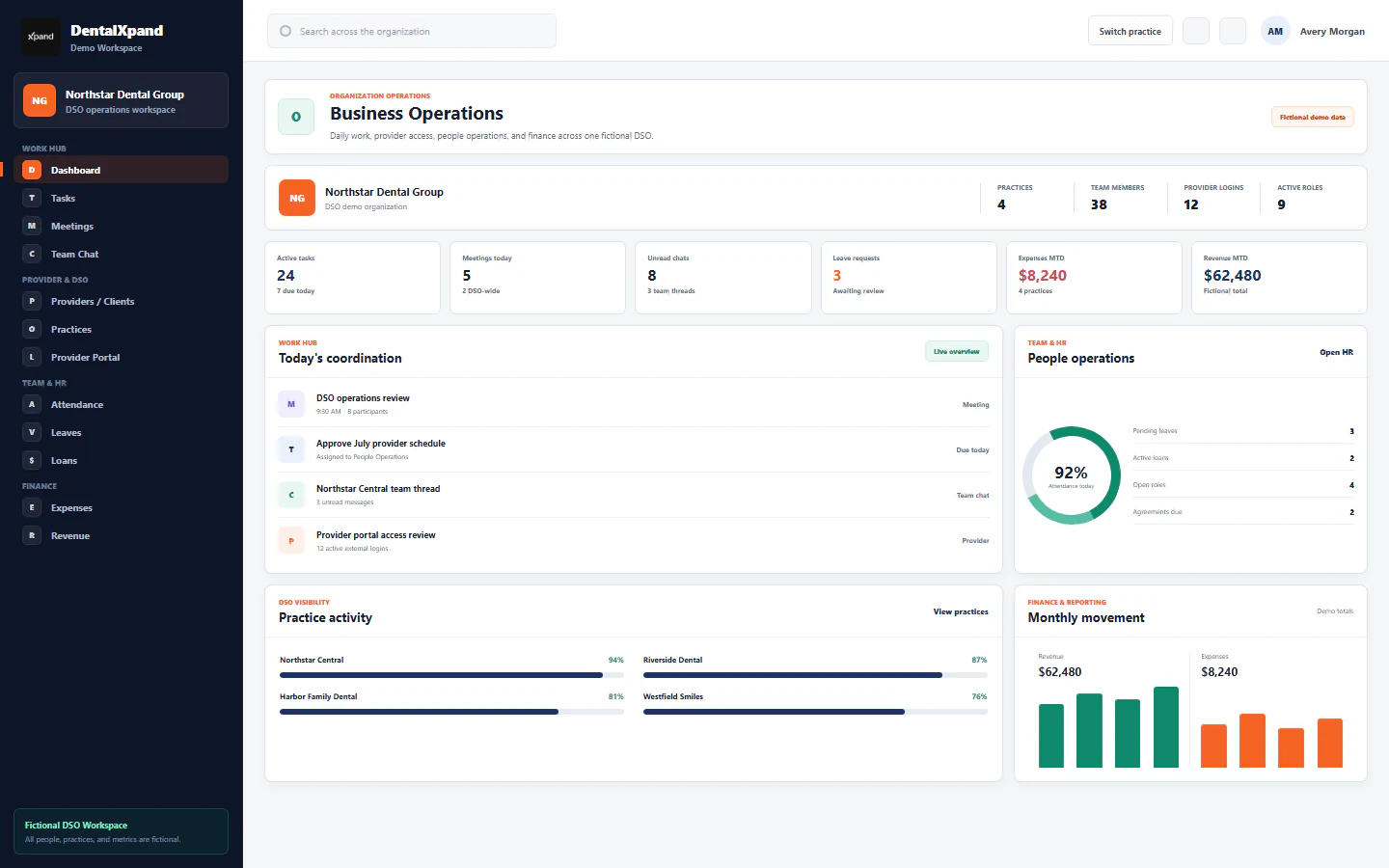
01 Work Hub
A shared execution layer for employees, operators, and managers without moving every conversation into a separate tool.
02 Provider & DSO
Support a single practice, a multi-practice DSO, or a billing company while keeping provider and client users inside a focused external portal.
Connected operations
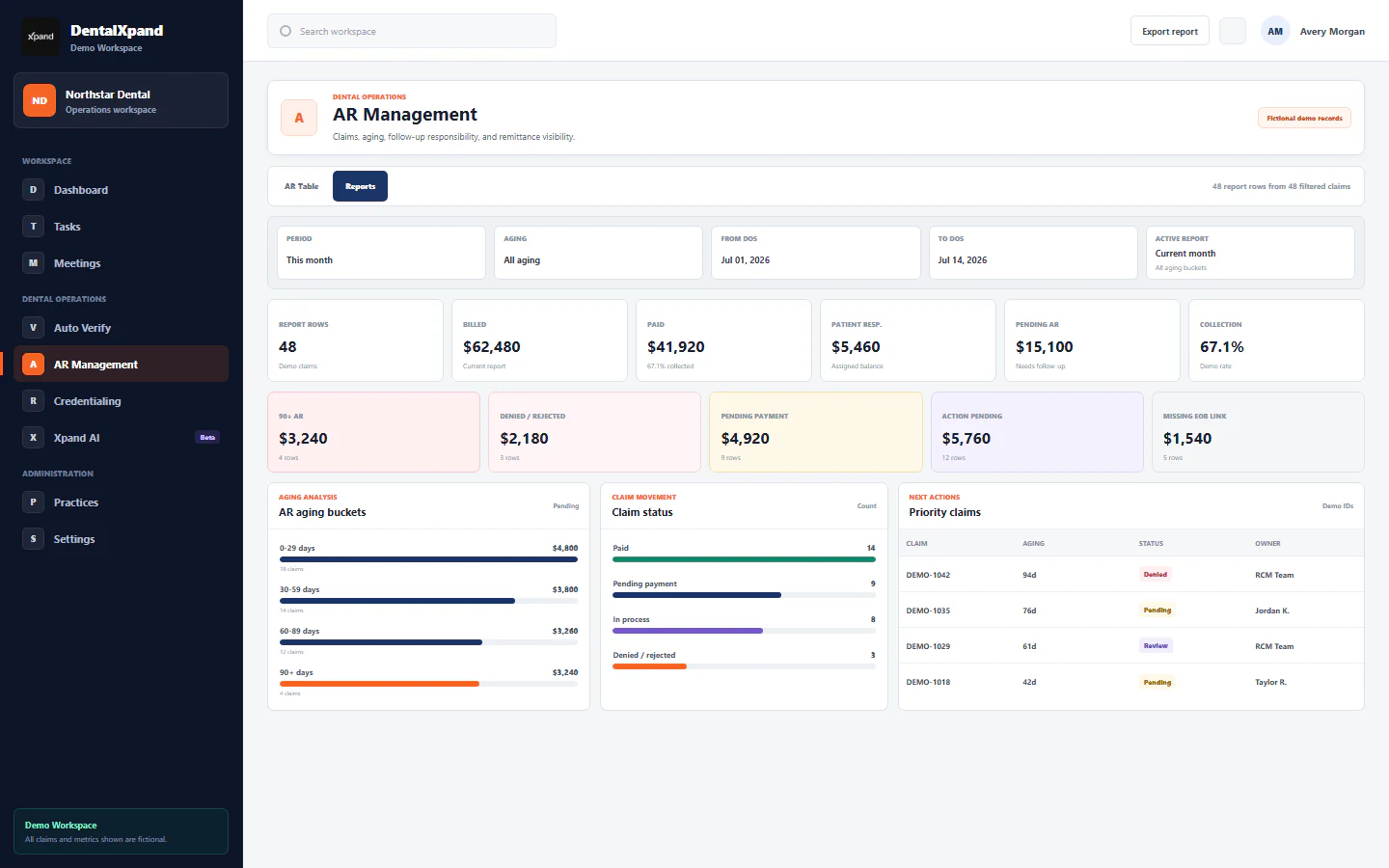
03 Dental RCM
Bring verification, billing, claim follow-up, AR reporting, and client instructions into the same operating model.
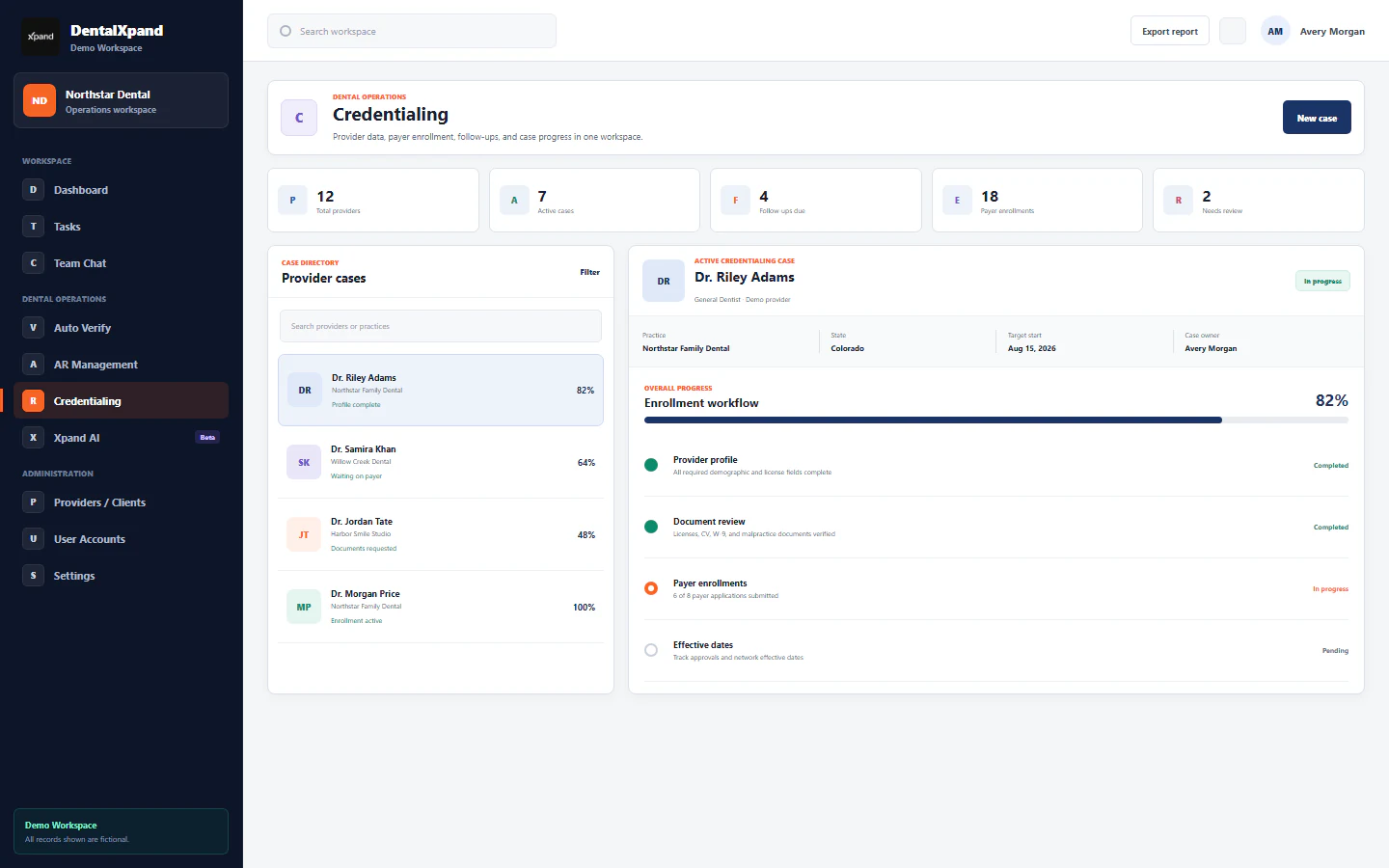
04 Credentialing
Separate internal follow-up work from the progress providers and clients need to review.
Specialist depth
The shared platform does not flatten the claim, benefit, or payer detail each specialist team needs.
05 Team & HR
Connect teams, time, leave, employee support, hiring, agreements, and notices to the same role-aware workspace.
06 Finance & Reports
Give authorized administrators a dedicated place for expenses, revenue, and management reporting.
07 Marketing & Growth
Keep lead discovery, calling, email activity, and pipeline follow-up inside a dedicated growth workspace.
08 Admin & Security
Manage employees, accounts, roles, practices, organization settings, and platform-level administration through explicit access boundaries.
Control before assistance
Organizations, practice assignments, accounts, and role permissions shape the operational context available to each user and to Xpand AI.
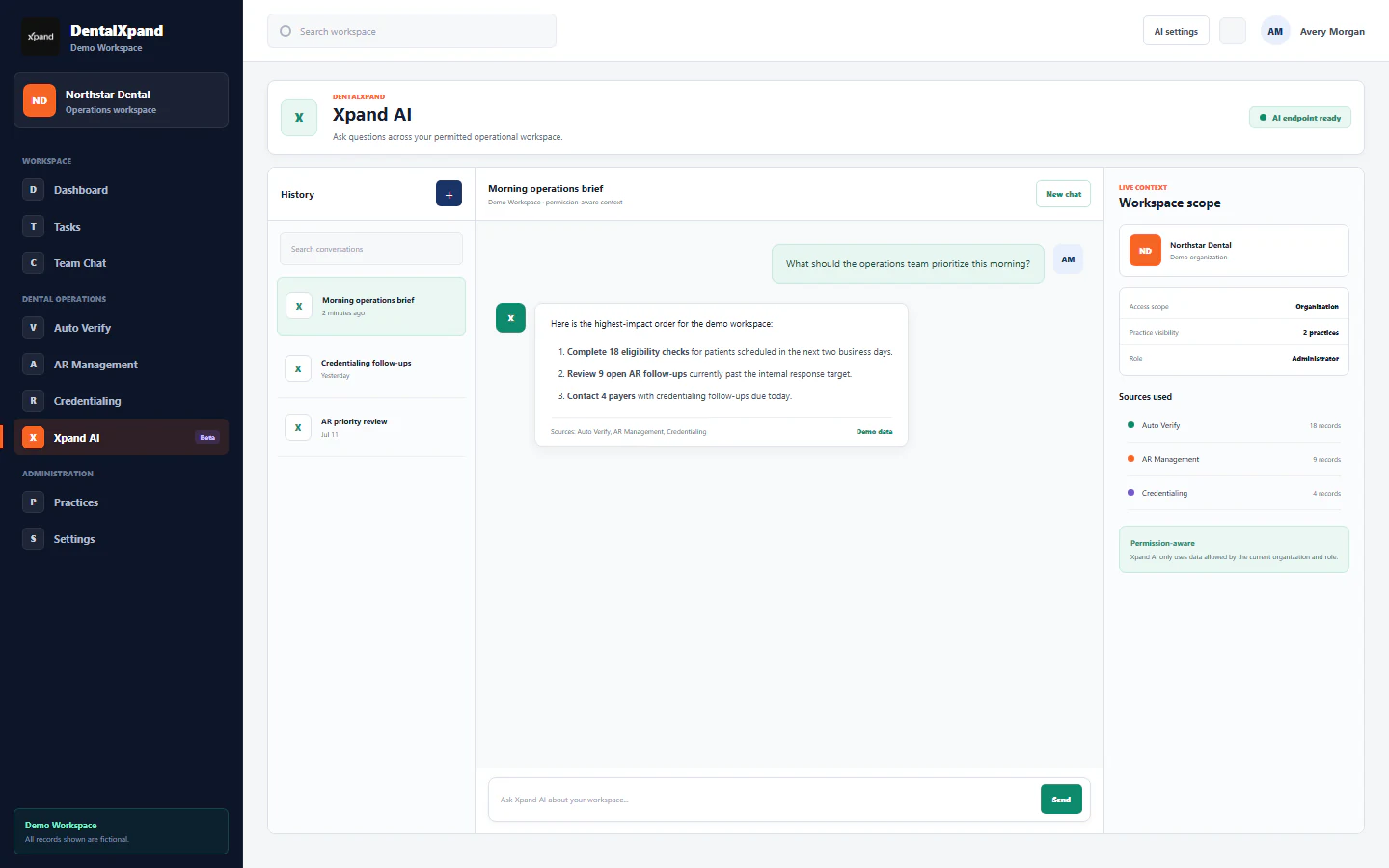
09 AI & Automation
Use Xpand AI and focused automation inside the current organization, practice, role, and visible source context.
Different users, different workspaces
Daily tasks, meetings, chat, notifications, documents, profile, and allowed department tools.
Focused dashboard, credentialing, provider data, assigned AR, tasks, chat, and notifications.
People, practices, roles, finance, reports, client operations, and organization settings.
SaaS organization provisioning and platform-level administration.