
DentalXpand services
Dental revenue and operations services.
Connect eligibility, claims, accounts receivable, credentialing, and team execution in one organization-aware workspace.
- Multi-practice ready
- Role-based delivery
- Fictional demo shown
One operating model
Keep specialist workflows connected without flattening their detail.
Dental teams need different tools for different work. DentalXpand connects those workflows through shared organization, practice, role, task, and reporting context.
Move work through assigned queues, follow-ups, and next actions.
Keep benefit details, claim responses, documents, and reporting easier to review.
Shape access around the active organization, assigned practices, and role.
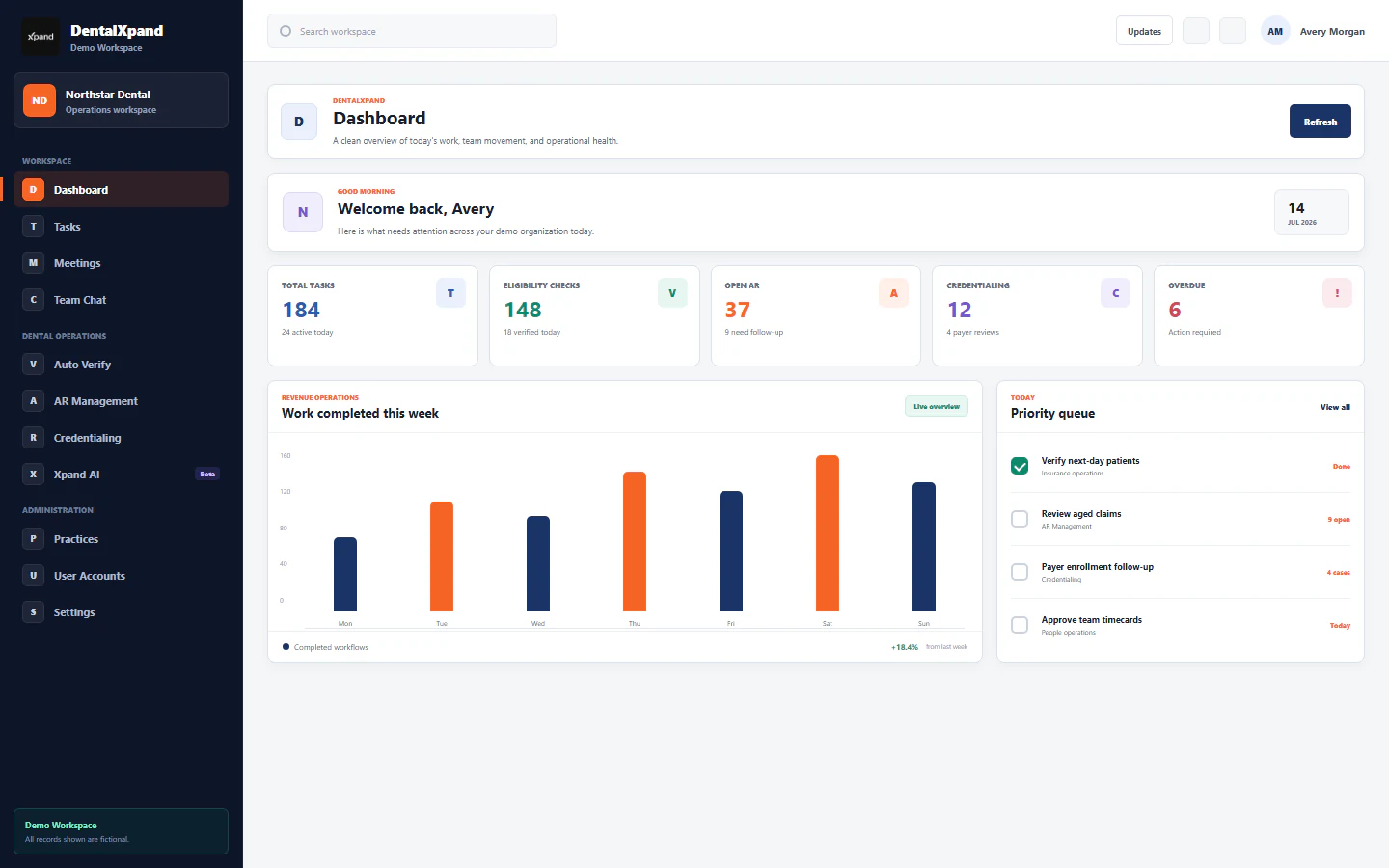
01 Revenue cycle operations
Turn billing activity into owned operational work.
Bring billing priorities, task health, follow-up responsibility, and operational reporting into one role-aware view.
- Work queues and ownershipAssign work, due dates, status, and next actions to the right team.
- Operational command centerReview task, eligibility, AR, credentialing, and overdue movement together.
- Exportable reportingCreate usable CSV and PDF outputs from operational records and reports.
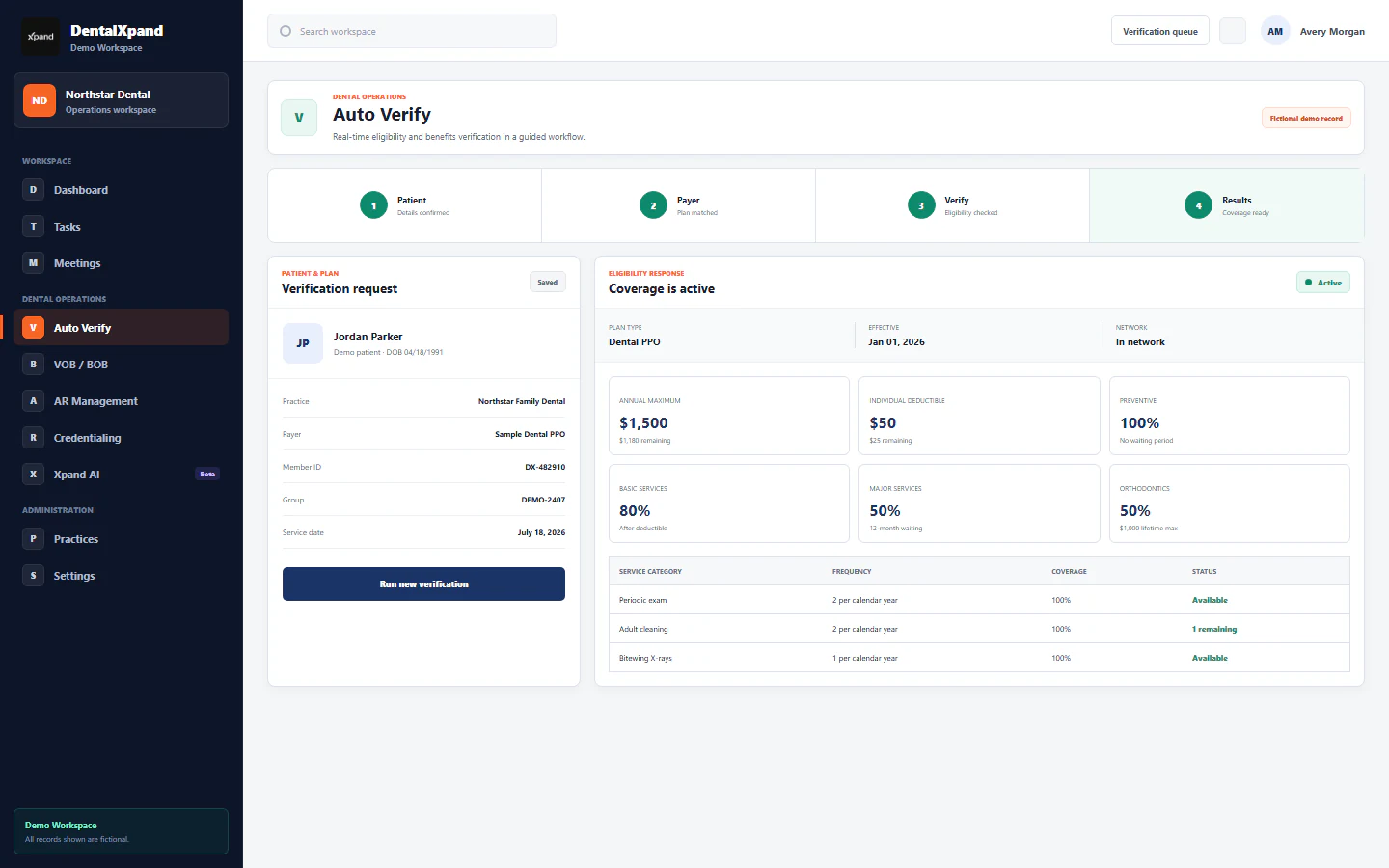
02 Eligibility and benefits
Move from patient details to a usable benefit summary.
Guide teams through patient, payer, eligibility, and benefit review while keeping plan detail ready for office workflows.
- Auto Verify workflowOrganize payer matching, coverage status, deductibles, maximums, and service details.
- VOB and BOB supportStructure verification and breakdown-of-benefits work for repeatable review.
- PMS-ready commentsFormat chart comments for Open Dental, Curve Hero, and Eaglesoft workflows.
StediEligibility and payer services are available when configured with valid account credentials.
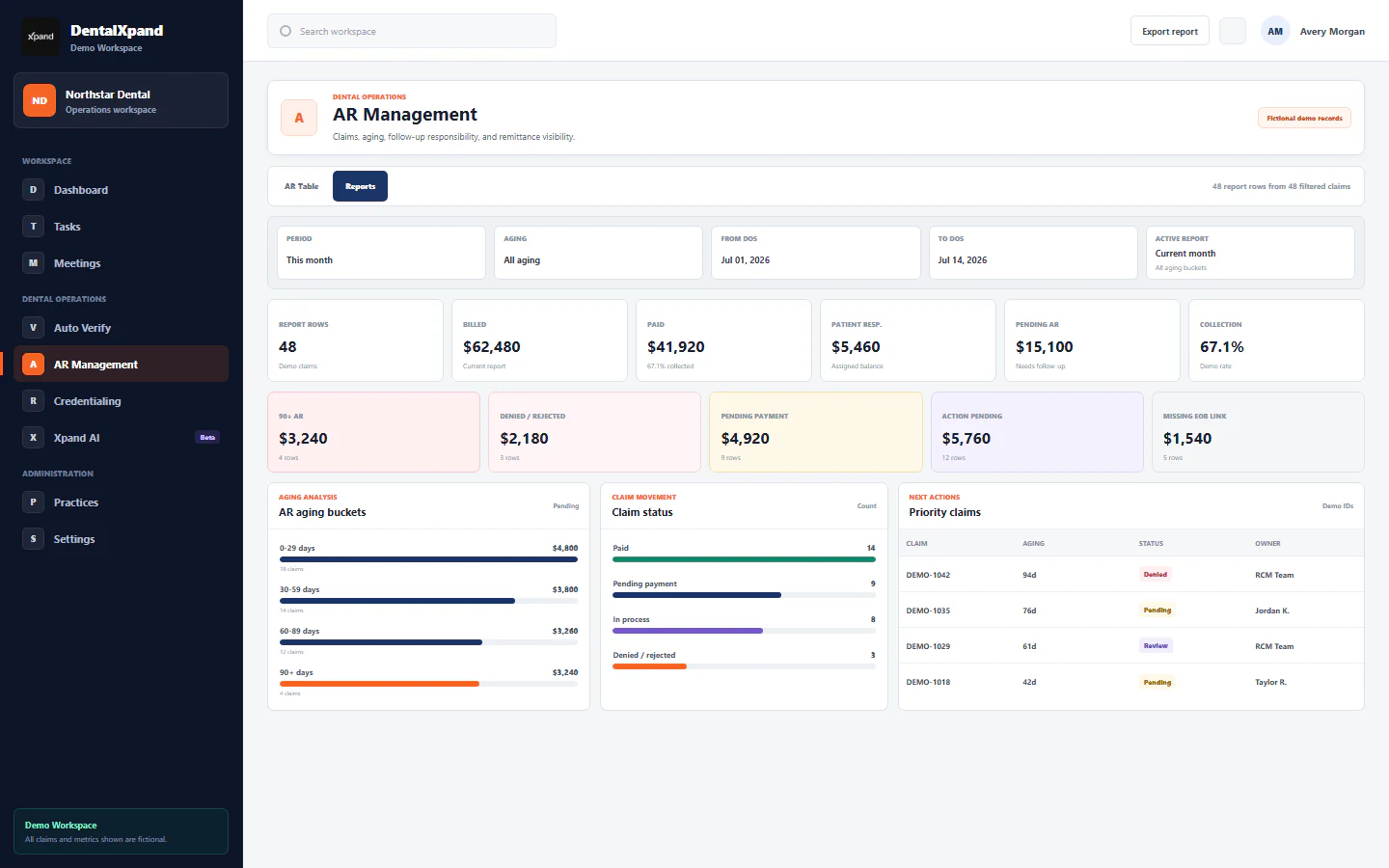
03 Claims, AR, and remittance
Prioritize the balances and claims that need action.
Review aging, claim status, follow-up history, ERA or EOB evidence, and ownership without losing the source context.
- Aging and priority reportingBreak pending AR into aging buckets, status groups, and next-action queues.
- Claim follow-up historyKeep searched claims, responses, remarks, and completed follow-ups easier to trace.
- ERA and EOB workflowsReview remittance matches and available official file actions from configured claim services.
Claim.MDClaims and ERA features require a configured Claim.MD account and deployment credentials.
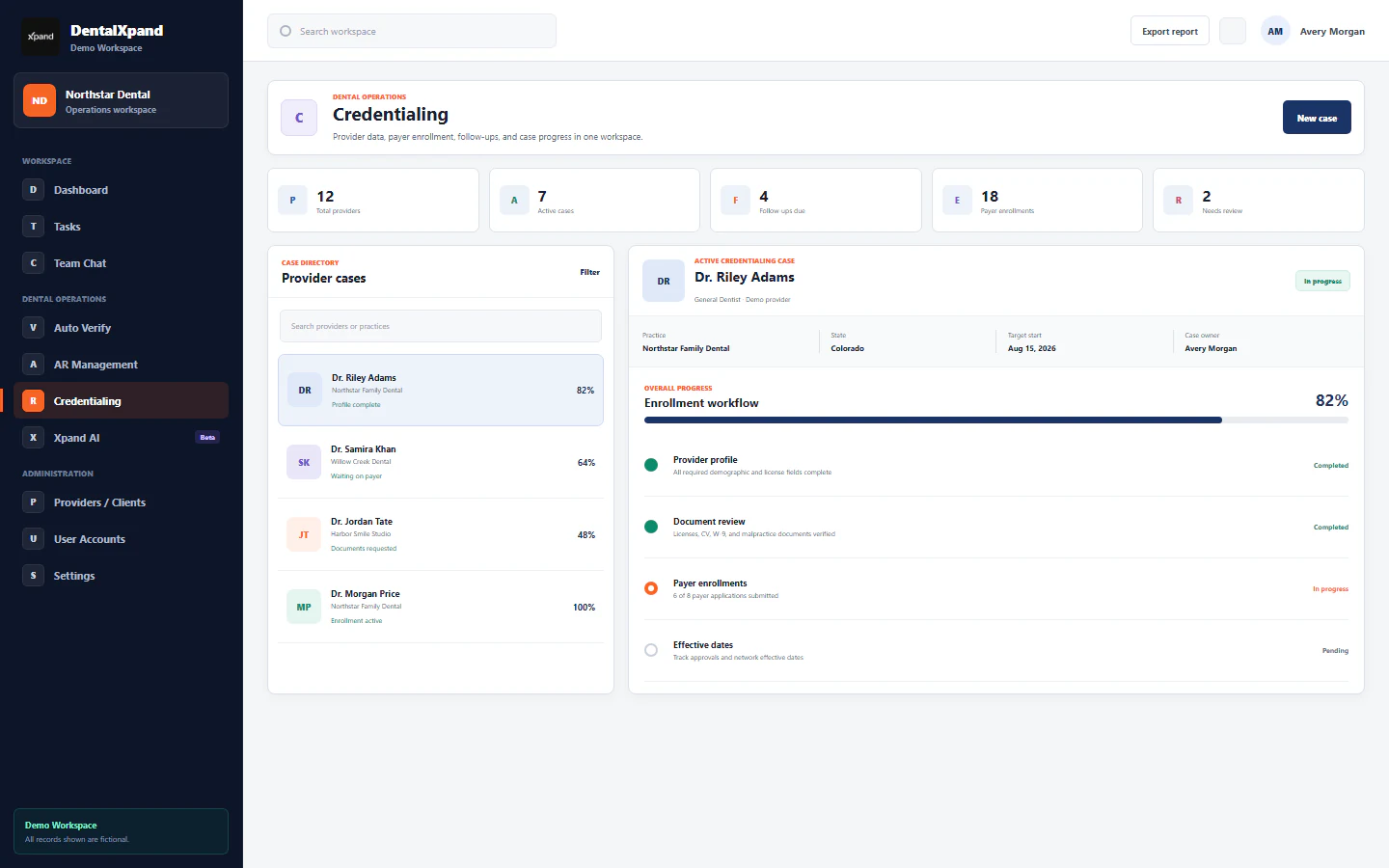
04 Provider credentialing
Keep provider data, payer enrollment, and follow-ups moving.
Organize the provider record and track each payer case from data collection through review, submission, follow-up, and effective status.
- Provider data vaultCollect profile fields, practice assignments, and supporting documents in a guided flow.
- Payer case progressTrack application, current status, effective date, next follow-up, and remarks.
- Internal and client viewsSeparate internal follow-up detail from the progress clients need to review.
05 Team operations and reporting
Coordinate the team around the same operational picture.
Connect tasks, meetings, messages, reports, and AI-assisted review while preserving organization, practice, and role context.
- Tasks and meetingsKeep responsibility, due dates, discussion, and operational follow-up close to the work.
- Role-aware reportingGive administrators, teams, and providers views shaped around their permitted responsibilities.
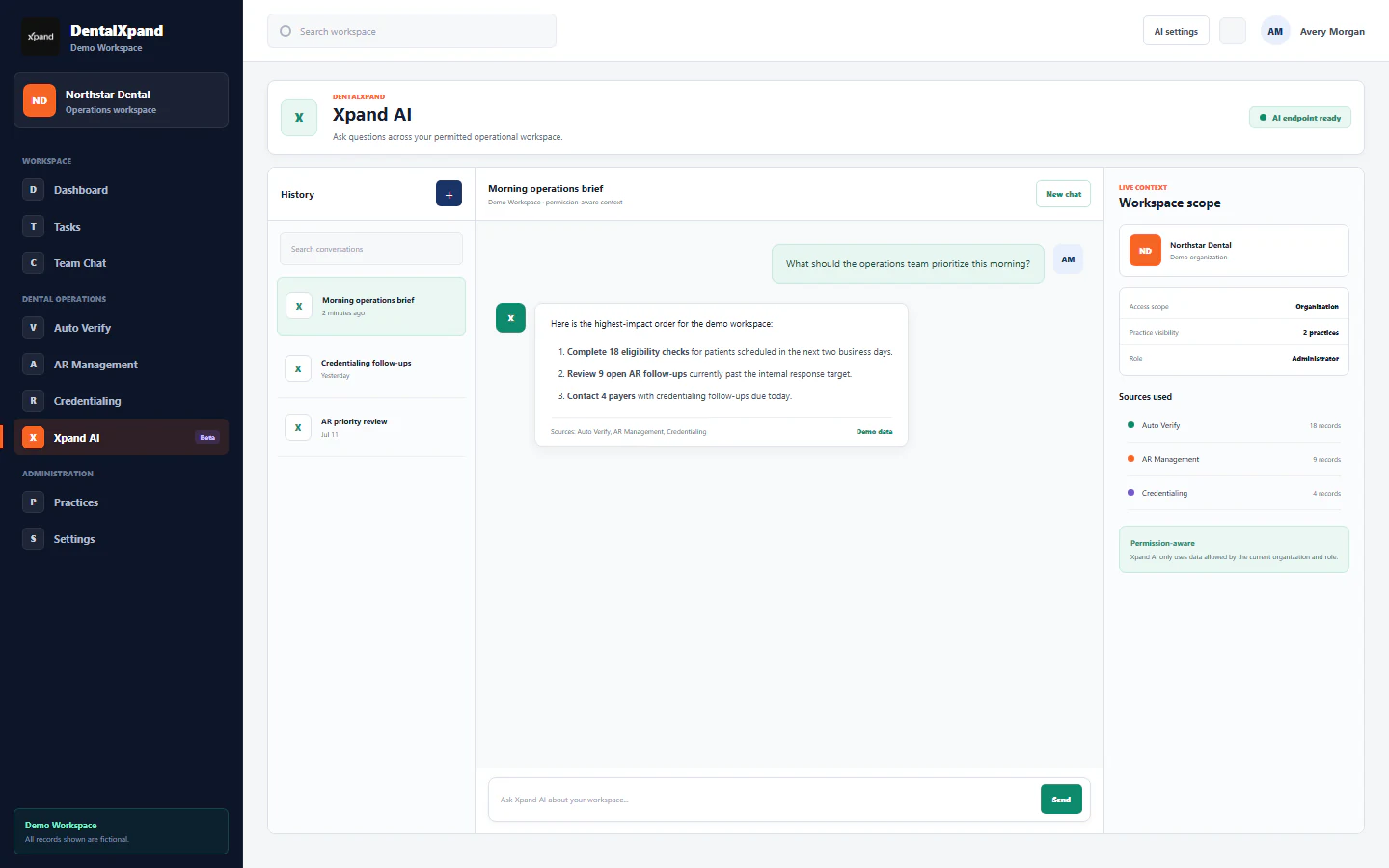
- Xpand AI reviewAsk operational questions using permitted workspace context and visible source categories.
Beyond service delivery
These workflows sit inside a much wider operating platform.
DentalXpand also supports provider and DSO access, HR, leave and loan management, expenses, revenue, growth, administration, security, and AI automation.
Work Hub
Dashboard, tasks, meetings, chat, notifications, documents, profile, and support.
Provider & DSO
Single-practice, DSO, billing-company, provider-login, practice, and agreement workflows.
Team & Business
Teams, attendance, time, leaves, loans, recruitment, expenses, revenue, and reports.
Growth & Control
Lead generation, outreach, user accounts, roles, settings, platform administration, and AI.
Implementation path
Configure the operating model before moving the work.
A practical rollout starts with boundaries and responsibilities, then adds service connections and live workflows.
- 01
Map the organization
Define the organization, practices, teams, and operational priorities.
- 02
Assign roles and access
Shape page permissions and practice visibility around each responsibility.
- 03
Configure workflows
Set up required services, imports, templates, queues, and reporting outputs.
- 04
Launch and review
Move live work into the workspace and review ownership, progress, and exceptions.